
System Settings User Guide
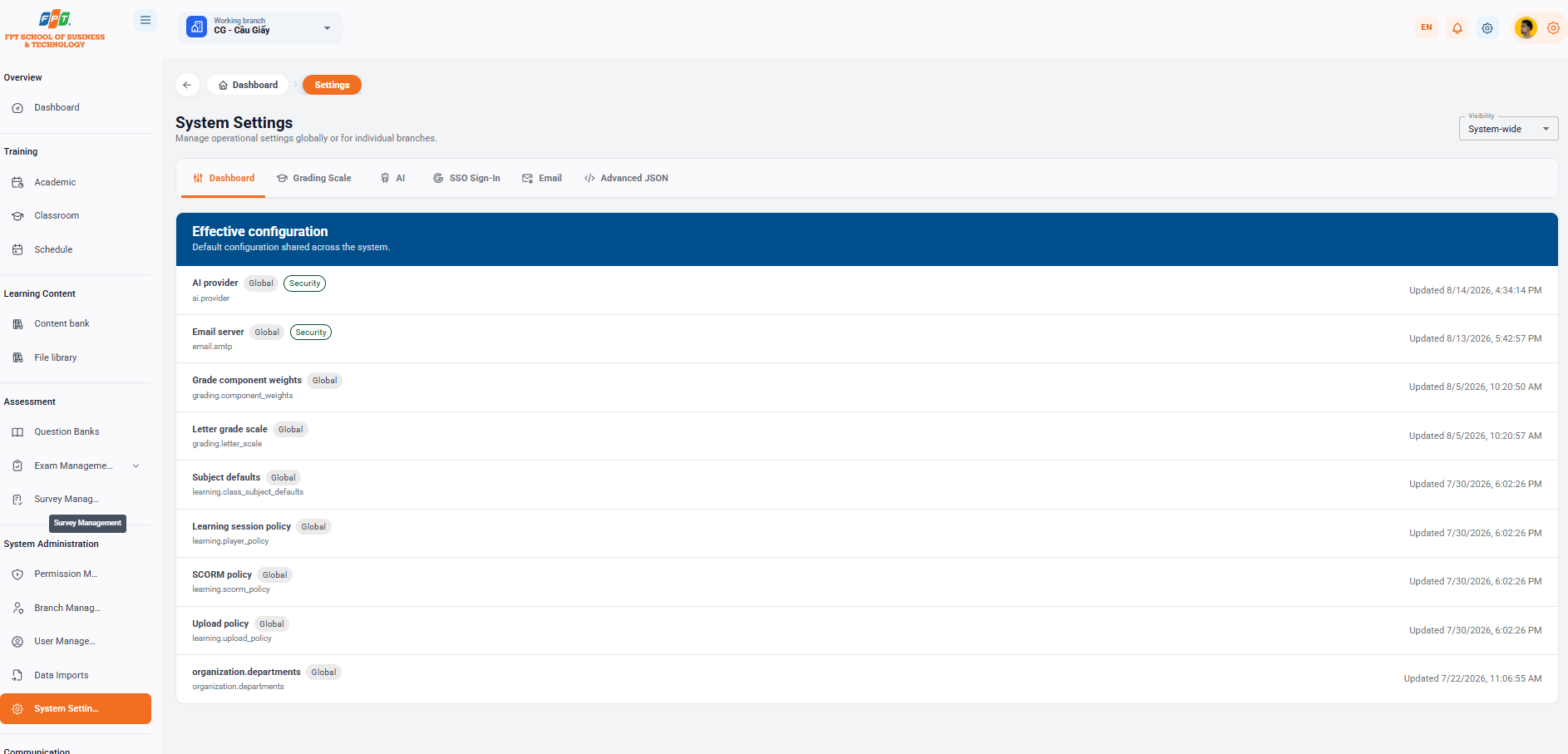
System Installation subdivision System Operating System subdivision assists administrator administrators, configures common operating parameters throughout the system or sets separate for each branch.
14.1. Configuration Overview and Scope
- Breadcrumb: General > Setup
- System subheading: System installation (Configuration management operates across the entire system or each branch).
- The scope of application:
- The Range selection card in the upper right corner supports switching between the entire system or specific branch (e.g. CG - Cau Giay).
14.2. Configuration Tabs
Interface divides the configuration parameters by each special tab:
- General: Show a list of the current general configurations.
- Score: Set the rules for scoring, weighting the component points and letter scores.
- AI: Configuring the integrated parameters of an AI service provider.
- SSO Login: Set up the authentication method and single sign-on.
- Email: Configure the email server system (SMTP Server).
- High-level JSON Upgrade: Directly edit the configuration code as a JSON file for the technical administrator.
14.3. Active Settings
The table of default configuration parameters is commonly applied throughout the system:
| The name of the configuration | The parameter code | Scope & Characteristics | Updated time |
|---|---|---|---|
| AI provider | ai.provider | The whole system · Security | 16:34:14 14/8/2026 |
| The server sends the email | email.smtp | The whole system · Security | 17:42:57 13/8/2026 |
| Weight of the component points | grading.component_weights | The whole system. | 10:20:50 5/8/202 |
The following is a section of the Guide to News Management documentation compiled following the standard distributed title format for Google Docs: