
Teaching Schedule Management Teacher Guide
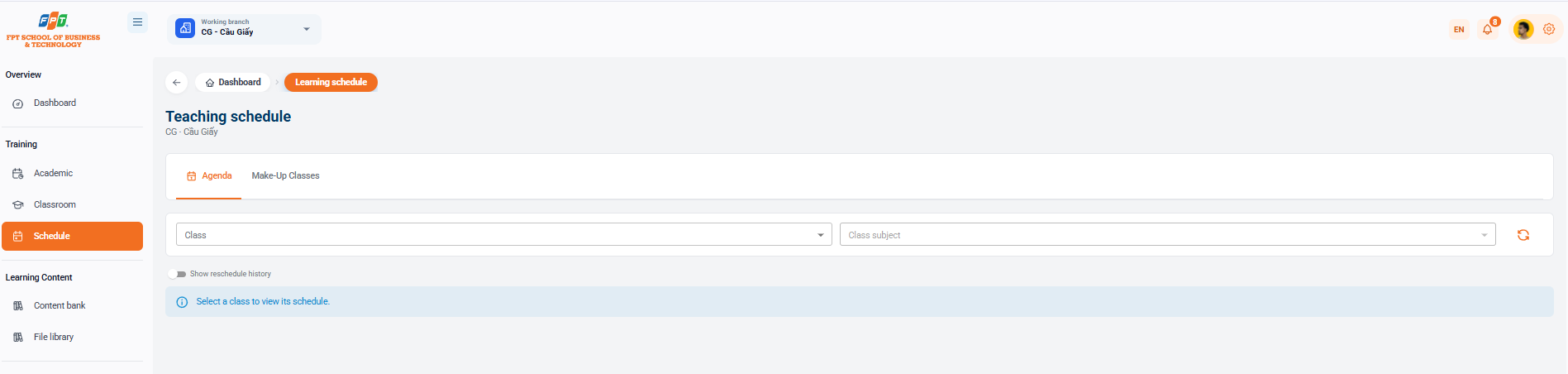
The Class Schedule module helps instructors and academic staff search and monitor detailed timetables and manage weekly and make-up schedules for a branch.
4.1. Interface Overview
- Breadcrumb: General > Calendar.
- Title: Calendar of teaching (branch: CG - Cau Giay).
- The main function tabs:
- Weekly Calendar: Display the timing of the teaching curriculum by week of classes.
- Make-Up Classes: Search and manage scheduled make-up sessions.
4.2. Searching and Filtering Teaching Schedules
Search Filters
- Administrative class: Select a class that needs to look up a calendar from the drop-down list.
- Lessons: A schedule of lessons taught in each specific classroom.
- Download: Updating the calendar data.
Display Options
- "History now moved" button: Turn off to display or hide previously adjusted sessions/time.
- Instructional notice: The display system reminds Select class to view the calendar before selecting administrative class.