
Branch Academic Management User Guide
The Branch Service Division allows administrators to configure the entire training program, administer the enrollment subjects, subject categories, disciplines, and the operating academic year of the branch.
2.1. Academic Year and Term Management
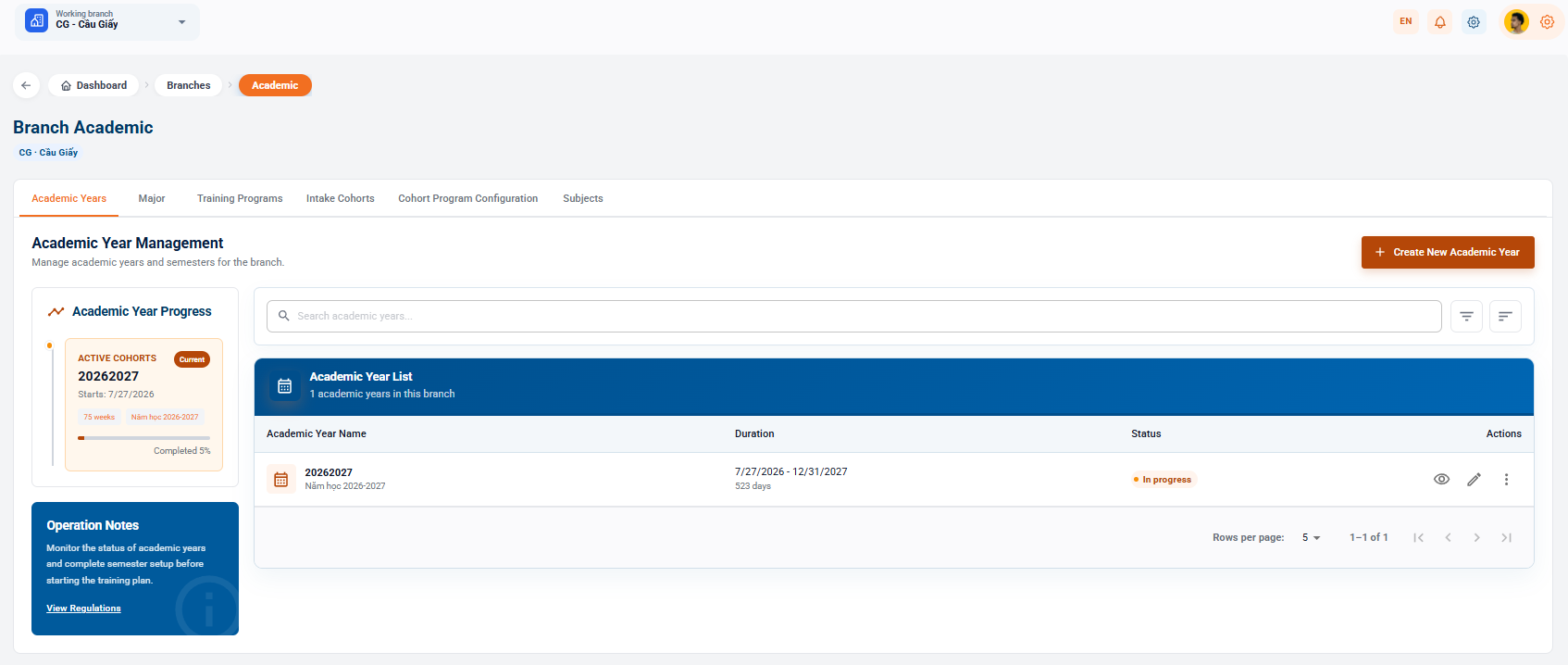
Manage key training periods and monitor the progress of each academic year.
2.1.1. Academic Year Progress and Operational Notes
- Academic year progress: Visual display of current academic year information (e.g. 20262027), start date (27/7/2026), total week (75 weeks) and completion rate (5% completed).
- Operational Note: A guidance on status checks and semester setup before starting the training plan (Click on the regulations for details).
2.1.2. Academic Year List and Actions
- Function: Click [+ Create New Year] in the right corner to add a new academic year to the system.
- Displayed information: Academic year name, period (start date, end date, and total days), and status (Ongoing).
- The Action Column:
- Eye icon: View the academic year configuration.
- Pencil icon: Edit the academic year information.
- 3-Point mark: Expand the additional management options.
2.2. Major Management
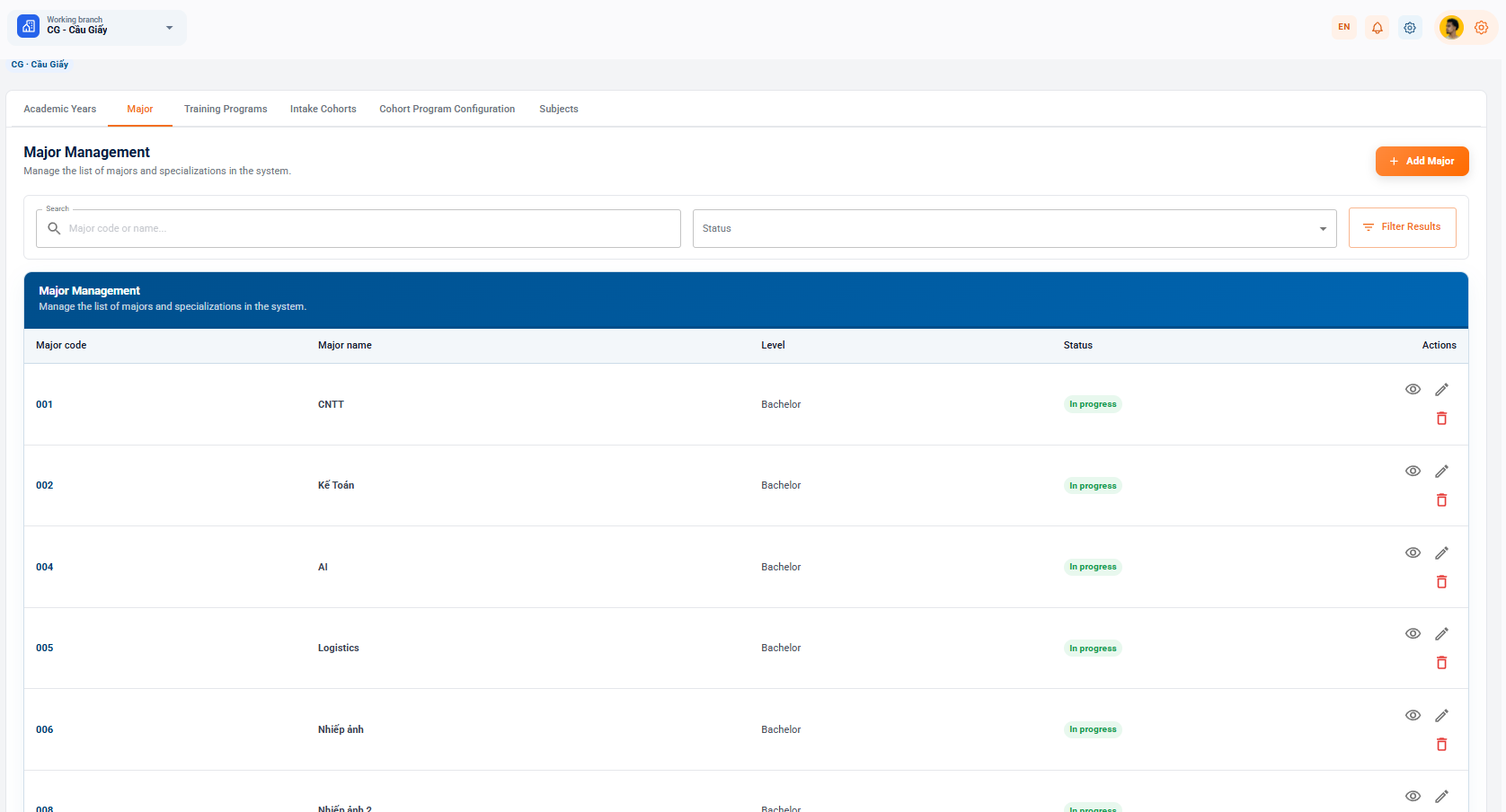
Management of the portfolio of disciplines and specialties allowed to implement training.
- Functional portal: Click [+ Additional courses] to start a new course.
- Filter & Search: Search by code/industry name in the Code or Industry Name box... and filter by Status.
- The list of disciplines includes:
- School information: Code of the field, name of the field, degree, status, job.
- Data for example:
- 001 - IT (University) - I'm in training
- 002 - Math instructor is training.
- 004 - AI is training.
- 005 - Logistics is training.
- 006 - Photography (University) I was training
- Activities: View details (eye icon), Edit (pen icon), Remove the industry (red trash icon).
2.3. Academic Program Management
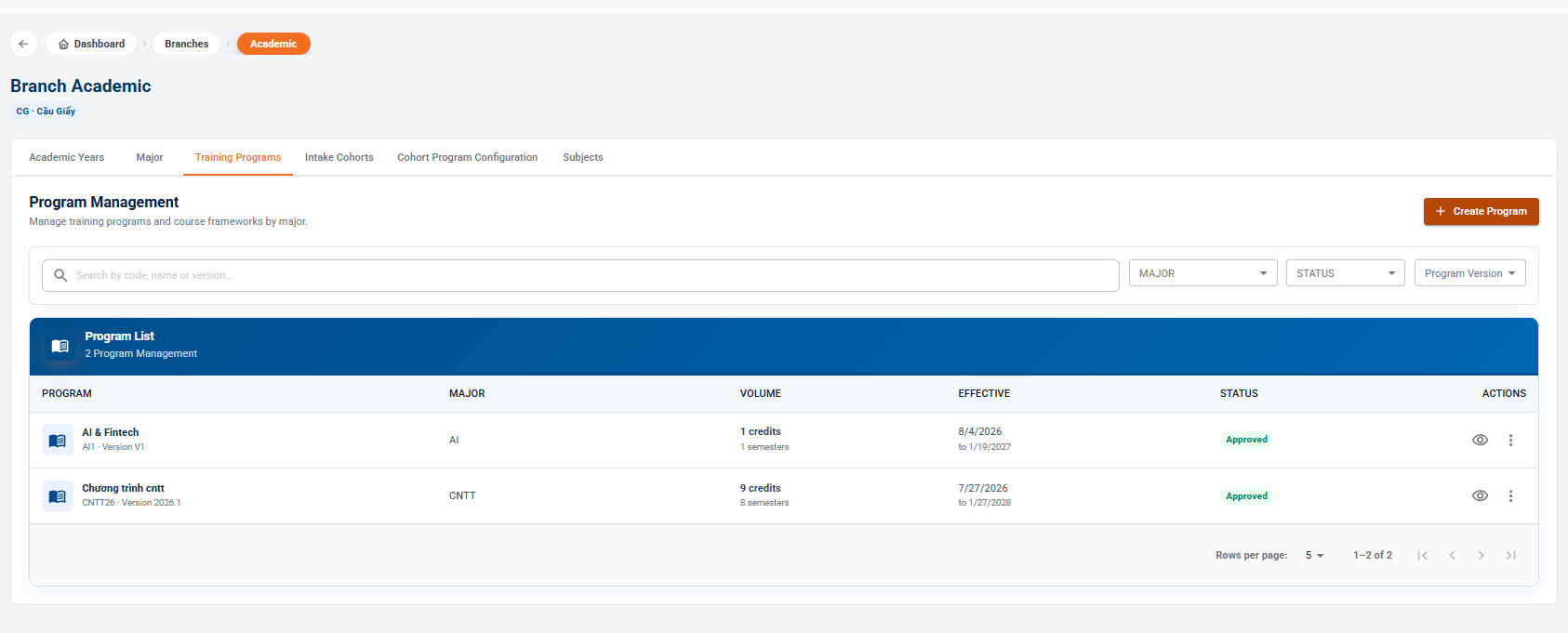
Set up and monitor the curriculum, version of the program for each discipline.
- Function: Click [+ Create Program] to create the new program frame.
- The data filter:
- Heart sword by code, name or version in the cell Search by code, name or version...
- Follow the drop down menu: academic, literary, translation.
- List of training programs:
- AI & Fintech (Man: AI1 - V1) Subject: AI: Volume: One credits (season 1) Effectiveness: 4 August 2026 to 19 January 2027. Status: Approved
- The program is available in English. (Male: TN26 - Version 2026.1) Subject: TN: Volume: 9 credits (eight semesters) Effectiveness: 27 July 2026 to 27 January 2028.
2.4. Cohort Management
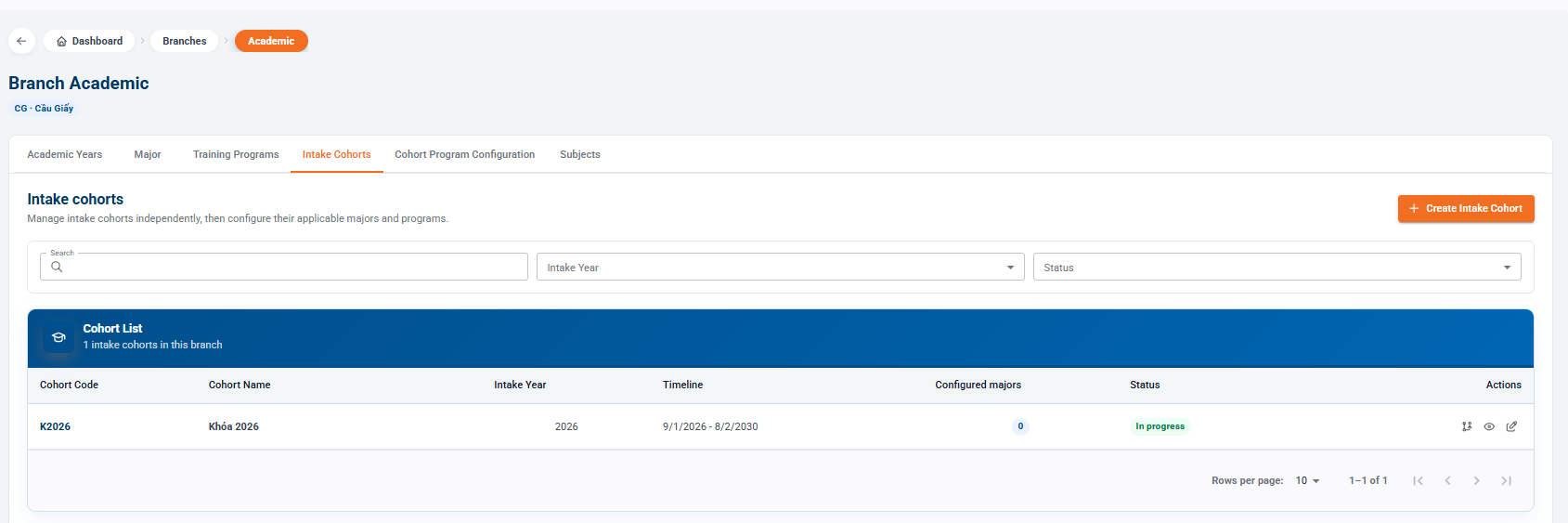
Manage the list of independent admissions courses and allocate the applicable program frameworks.
- Action button: Select [+ Create Cohort] to open a new enrollment cohort.
- Filter: Search by keyword, filter by Year of Admission or Status.
- Information on the admission key:
- The entry code is K2026
- Name of the admission key: 2026 key
- Year of admission: 2026
- The time frame: 1 September 2026 - 2 August 2030
- Branch configured: 0
- Status: In the works
- Activities: Configuration of the sector/program (schematic icon), View details, Modify key information.
2.5. Subject Catalog
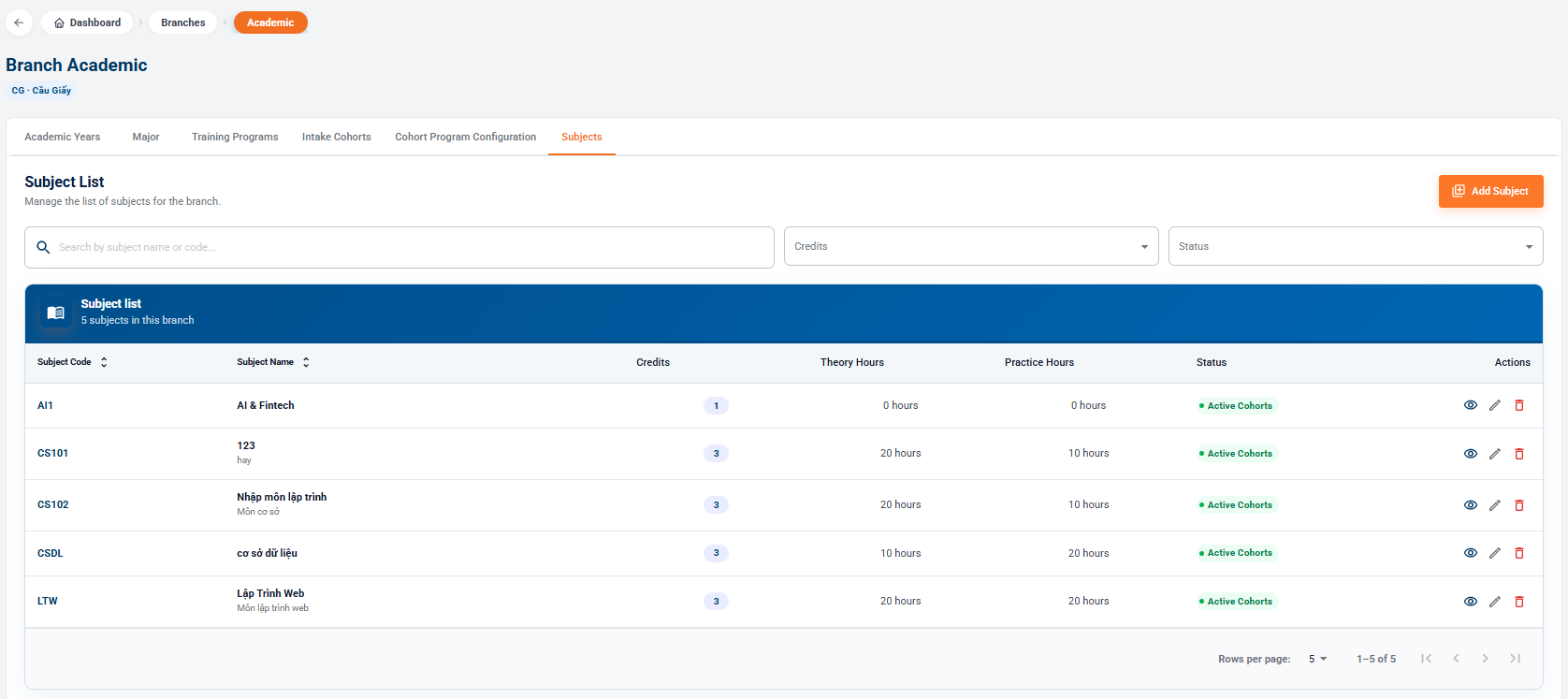
Database management of subjects is the operating branch.
- Functional portal: Click [+ More Lessons] to start a new subject.
- Filter: Find by subject name/number, filter by credit or status.
- List of subjects: