
Reporting and Analytics User Guide
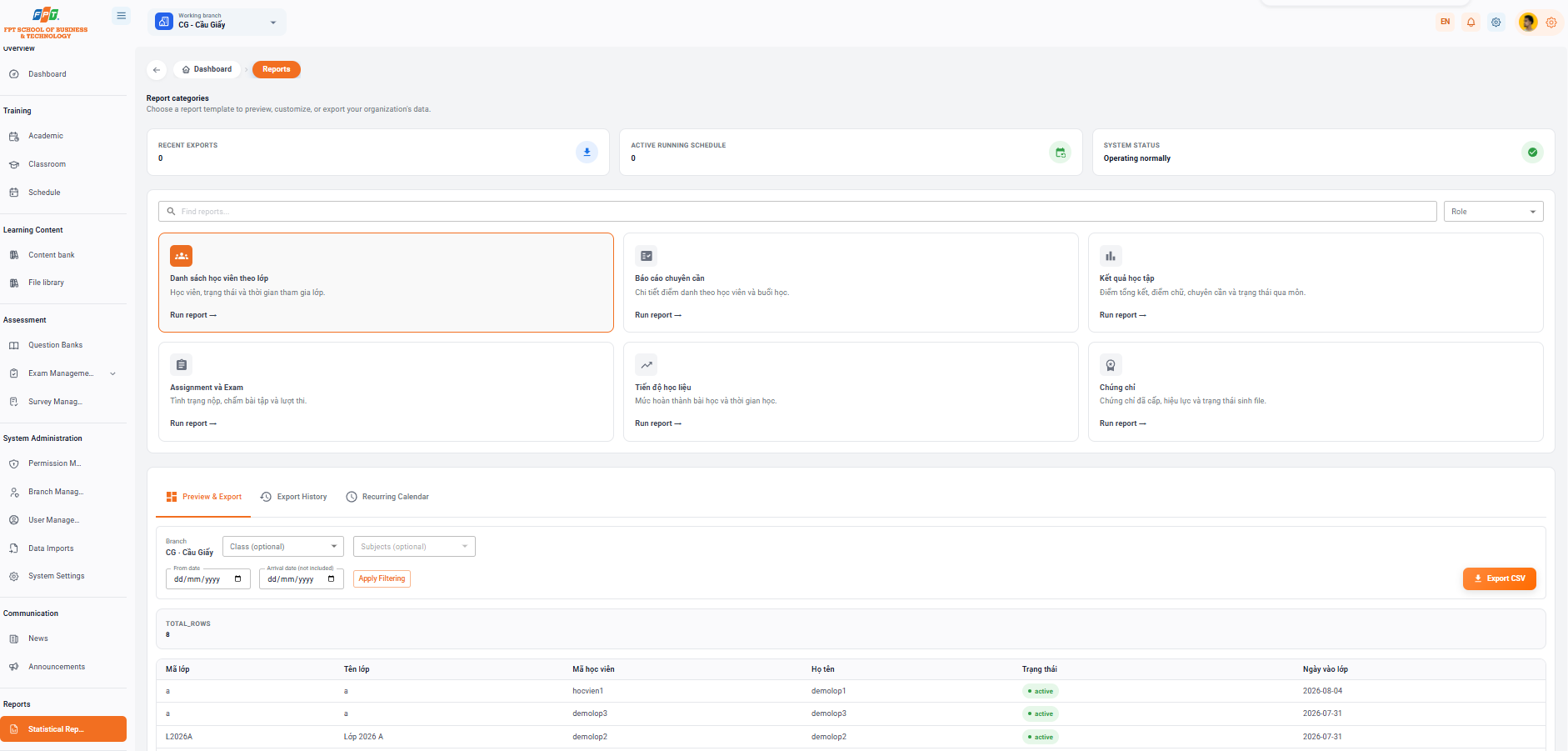
The Statistical Reporting subdivision of the Newsletter helps administrators to initiate, preview, export data and set up automatic calendar that runs periodic reports for all training, credentials and study activities at the branch.
17.1. Report Catalog Overview
Summary Metric Cards
- Recent exits: Total number of recent report file exits (e.g. 13).
- Running calendar: Number of calendar automatically output reports running (e.g. 4).
- System status: The operating status of the report server (Good performance).
Available Report Templates
The administrator can search the report in the Search Report cell or select a report template by category:
- List of students by class: Student statistics, status and time spent in class.
- Specialised reports: Details of the student enrollment and each class.
- Academic results: Summary points, spelling points, qualifications and status through the course.
- Assignment and Exam: Status of submission, assignment score and exam.
- Learning progress: The level of completion of the lesson and the duration of the learning learning materials.
- Certificate: Statistics of the certificate issued, validity and status of the file.
17.2. Report Management Actions
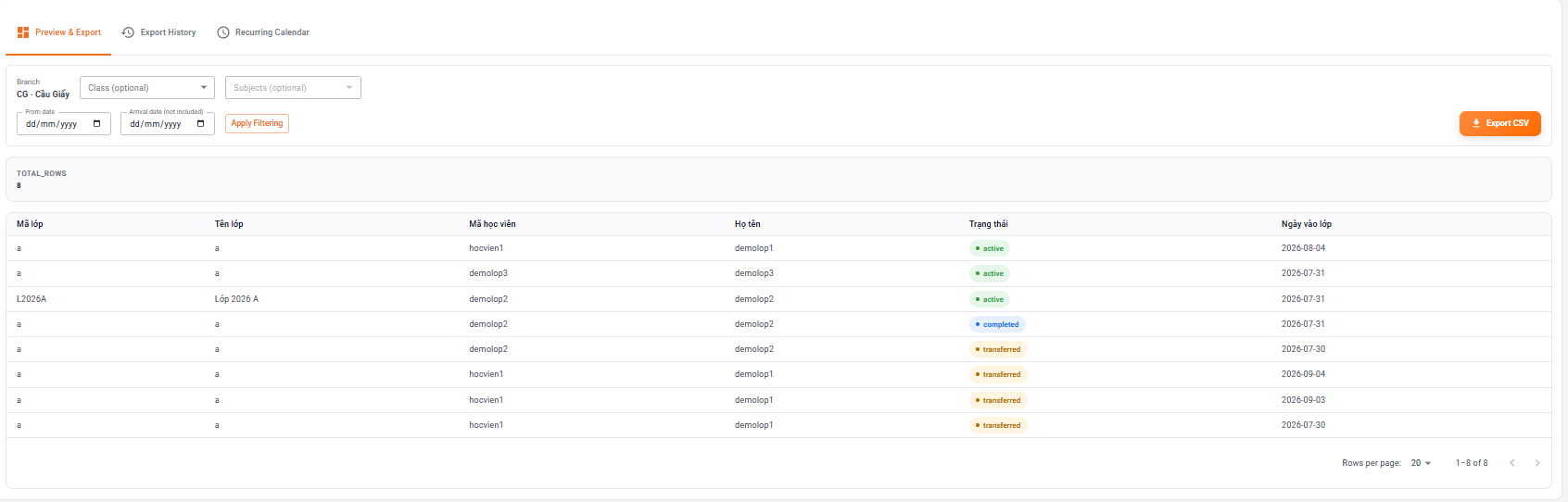
Tab 1: Preview and Export
Allow direct filtering and extraction of data:
- The data filter:
- Branch: Automatically fixes the current working branch (e.g. CG - Cau Giay).
- Class/Learning: Dropdown selects class or subject to extract.
- Time: Select the filter time from From Day to Day.
- Click on [Directory] to see the data display below (TOTAL_ROWS).
- Data extraction: Click the [Very CSV] button (orange) in the right corner to download the result file to the computer.
Tab 2: Export History
Manage the list of recent file export requests and download completed reports:
- Table information: Display the report name, Status (Completed), Time of creation, Line number, Error.
- Download icon: Click the down arrow icon in the Action column to re-download the previously published report file.
Tab 3: Scheduled Reports

Automatically set up periodic reporting by set cycle:
- The button [+ New Calendar: Set up a new automatic reporting calendar.
- Periodic calendar information: | Frequency | The scope | Following | Next time run. | The State | The work | | --- | --- | --- | --- | --- | --- | | Every week 8:00 Monday | CG - Cau Giay a · a CS101 · 123 | I'm off. | 08:00 24 thg 8, 2026 | I'm running | Repair / Remove | | Every month (Acts 8:00 on the 12th) | CG - Cau Giay a · a CS101 · 123 | — | 08:00 12 thg 9, 2026 | I'm running | Repair / Remove | | Every week 8:00 Monday | a · a | absent | 08:00 24 thg 8, 2026 | I'm going. | |