
Administrative Class Management Teacher Guide
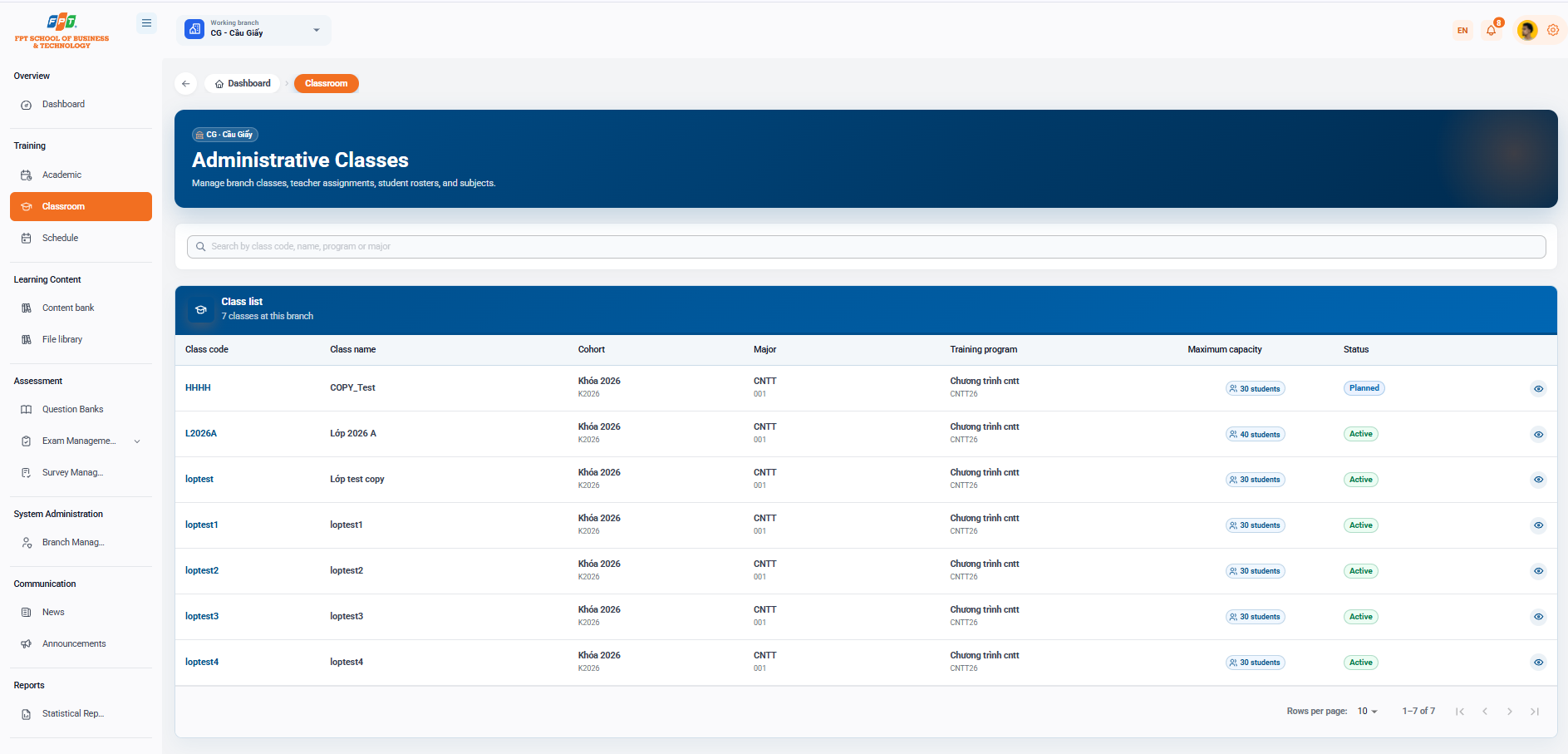
The Administrative class system under the Education category assists administrators and academic staff in managing class lists, faculty assignments, student list management and branch subjects.
3.1. Interface Overview
- Breadcrumb: Overview > Classroom
- Title: Administrative class (Managing class lists, faculty assignments, list of students and branch subjects).
- Application branch: CG - Cau Giay.
- Filter & Search: Search engine Search by class code, class name, program or industry to quickly query class data.
3.2. Administrative Class List
Table summarizing the list of classes available at the branch (total: 7 classes at the branch):
| Class code | Class name | The admission key | The Branch | Training program | Maximum score | The State | The work |
|---|---|---|---|---|---|---|---|
| HHHH | COPY_Test | Key to 2026 (K2026) | CNTT (D01) | The program (CNTT26) | 30 students | Expected | Xem |
| L2026A | Class 2026 A | Key to 2026 (K2026) | CNTT (D01) | The program (CNTT26) | 40 students | Active | Xem |
| loptest | The test copy class | Key to 2026 (K2026) | CNTT (D01) | The program (CNTT26) | 30 students | Active | Xem |
| loptest1 | loptest1 | Key to 2026 (K2026) | CNTT (D01) | The program (CNTT26) | 30 students | Active | Xem |
| loptest2 | loptest2 | Key to 2026 (K2026) | CNTT (D01) | The program (CNTT26) | 30 students | Active | Xem |
| loptest3 | loptest3 | Key to 2026 (K2026) | CNTT (D01) | The program (CNTT26) | 30 students | Active | Xem |
| loptest4 | loptest4 | Key to 2026 (K2026) | CNTT (D01) | The program (CNTT26) | 30 students | Active | Xem |
3.3. Class Management Actions
- Eye icon (see): Access to the classroom's detailed management interface includes:
- See the official list of classroom students.
- Distribution of the chairperson/lecturer of the subject.
- The coursework and the list of subjects are part of the classroom training program.
- Page split: Support for customizing the number of lines displayed (defining 10 lines/line) and page transitions (17 over 7).